
Key Takeaways
- AI adoption among small businesses nearly tripled between 2023 and 2025. Waiting to “figure it out” means falling further behind competitors who are already using it.
- Start with one specific, repetitive workflow, such as document processing, email, or help desk tickets, rather than trying to overhaul operations all at once.
- Cybersecurity and compliance monitoring are especially high-value AI use cases for businesses that cannot support a full in-house security or compliance team.
- The biggest time and cost savings come from connecting individual AI tools into end-to-end automated workflows, not from using tools in isolation.
- A Managed IT partner can help you choose the right tools, configure them securely, and avoid the trial-and-error that causes many AI initiatives to stall out.
According to the U.S. Chamber of Commerce, 58% of small businesses now say they use generative AI, up from just 40% in 2024 and 23% in 2023, nearly tripling in two years. That is one of the fastest technology adoption curves the Chamber has tracked. Businesses that wait to “figure AI out” before starting are already behind those that are learning by doing.
The businesses seeing real returns are not the ones with the biggest budgets or a data science team. They are the ones applying AI to the specific, repetitive tasks that already eat up staff time.
Below are 10 practical starting points, along with a few things worth thinking through early, so the tools you choose keep delivering value.
1. Understand the Benefits of AI Document Automation for Your Business
Manual document handling, including data entry, approvals, filing, and cross-checking, is one of the highest-friction, lowest-value uses of staff time in most organizations. AI-powered document automation tools can extract data from invoices and forms, automatically route approvals, and flag inconsistencies before they become costly errors. Start small: pick one document-heavy workflow (accounts payable, new client intake, HR onboarding) and automate that single process before expanding.

2. Strengthen Your Cybersecurity with AI-Powered Threat Detection
Traditional security tools rely on known threat signatures, so they catch what they have seen before. AI-powered threat detection instead learns what “normal” looks like on your network and flags unusual behavior in real time, which is especially valuable for businesses without a dedicated in-house security team. This matters most for companies handling sensitive client data, such as financial records, healthcare information, and legal files, where a delayed response to a breach carries regulatory and reputational risk. AI does not replace a security strategy, but it closes the gap between when a threat appears and when a human notices it.
3. Speed Up IT Support with AI-Powered Help Desk Tools
AI-driven help desk tools can resolve common IT requests, such as password resets, access requests, and basic troubleshooting, without a ticket ever reaching a technician. That frees your IT staff to focus on higher-value work, rather than repetitive tickets. For growing businesses, this is often the fastest way to improve employee experience without adding headcount.
4. Improve Customer Service with AI Chatbots
AI chatbots have become one of the most widely adopted business AI tools, and for good reason: they handle routine customer questions instantly, at any hour, without adding to staff workload. The best implementations don’t try to replace human support. Instead, they handle the repetitive 60-70% of inquiries (order status, hours, basic troubleshooting) and hand off anything complex to a person. Before choosing a provider, get clear on the pricing structure, as costs vary significantly with conversation volume and integration complexity.

5. Manage Email More Efficiently with AI Tools
The average professional spends hours each week on email, drafting responses, summarizing threads, and sorting priority messages. AI email tools can draft first-pass replies, summarize long threads, and flag messages that need urgent attention, freeing up time for leadership and administrative teams. This is one of the lowest-friction starting points on this list: most AI email tools integrate directly into existing inboxes, so there is no workflow to redesign.
6. Cut Costs with AI-Optimized Managed Print Services
Print and document output is a quietly significant cost center for many businesses. Toner, maintenance, paper, and equipment downtime all add up. AI-optimized Managed Print Services monitor usage patterns, predict maintenance needs before a device fails, and automatically reorder supplies, reducing both hard costs and the staff time spent managing printers and copiers. Combined with the document automation, this is where physical and digital workflow efficiency reinforce each other.
7. Save Time with AI Meeting Transcription and Summarization Tools
Meetings generate decisions, action items, and commitments that are easy to lose track of once everyone is back at their desks. AI transcription and summarization tools capture the conversation automatically and produce a clean summary with assigned action items, which is useful for board meetings, client calls, and internal check-ins alike. This is a particularly strong fit for organizations in regulated industries that need a reliable record of what was discussed and decided.
8. Forecast IT Costs More Accurately with AI
Budgeting for technology has traditionally been reactive, with costs reviewed only after they are incurred. AI-driven forecasting tools analyze historical spending, usage trends, and upcoming needs to help finance and operations leaders plan IT investments with more confidence and fewer year-end surprises. For businesses managing multiple locations or a growing headcount, this kind of forward-looking visibility turns IT spending from a recurring surprise into a predictable line item.
For businesses in finance, healthcare, legal, and education, compliance is not optional, and manual compliance monitoring is slow, inconsistent, and easy to fall behind on. AI compliance monitoring tools can continuously scan systems and communications for policy violations or regulatory red flags (such as HIPAA, CCPA, and industry-specific requirements), alerting your team before a small issue becomes a formal violation. This is one of the highest-stakes applications on this list, and one where working with an experienced IT partner to configure monitoring correctly matters as much as the tool itself.

9. Automate Compliance Monitoring with AI Tools
For businesses in finance, healthcare, legal, and education, compliance is not optional, and manual compliance monitoring is slow, inconsistent, and easy to fall behind on. AI compliance monitoring tools can continuously scan systems and communications for policy violations or regulatory red flags (such as HIPAA, CCPA, and industry-specific requirements), alerting your team before a small issue becomes a formal violation. This is one of the highest-stakes applications on this list, and one where working with an experienced IT partner to configure monitoring correctly matters as much as the tool itself.
10. Free Up Staff Time with AI Workflow Automation
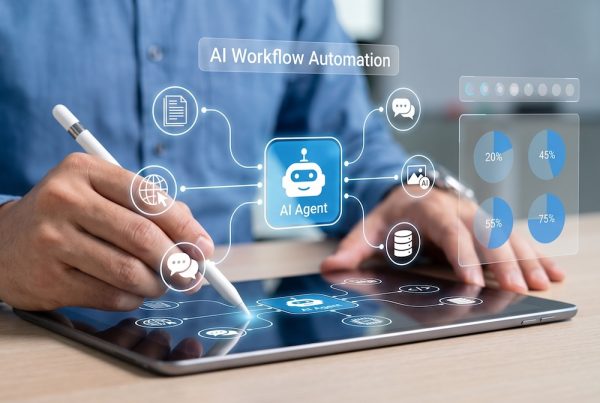
Beyond any single department, AI workflow automation tools connect the individual tasks above into a single, self-running process. A new client request can automatically trigger document collection, an approval routing, a calendar invite, and a follow-up email, all without a staff member manually shepherding each step. This is the natural endpoint of the other nine items on this list: once individual tasks are automated, connecting them into end-to-end workflows yields the greatest time savings.
Frequently Asked Questions
We tried an AI tool before, and it didn’t stick. Why would this be different?
Most failed AI attempts come down to picking a tool without a plan for how it fits into daily workflows or who is responsible for using it. Starting with a clear use case, proper setup, and a short check-in period to see what is working (rather than assuming a tool will just work out of the box) is usually the difference between AI that gets adopted and AI that gets abandoned.
Is it safe to use AI tools with sensitive business or customer data?
It depends entirely on how the tools are configured and vetted. Not all AI platforms handle data the same way, and using the wrong tool for sensitive information (financial records, health data, client files) can create real compliance exposure. This is where working with an IT partner to review data handling, access controls, and vendor security practices before rollout matters. The risk is rarely the technology itself, but how it is implemented.
Which AI use case should we start with first?
Start with whichever task currently consumes the most staff time relative to its complexity. For most businesses, that is email management, document processing, or routine customer and IT support questions. These have the lowest implementation risk and the fastest, most visible payoff, which builds internal buy-in before tackling higher-stakes areas like compliance monitoring or cybersecurity.
Ready to Start Using AI Without the Guesswork?
The Swenson Group helps businesses across the Bay Area adopt AI the right way: securely, affordably, and matched to how your team works. Whether you’re looking to automate document workflows, strengthen cybersecurity, or streamline IT support, our team can help you identify the highest-impact starting point for your business.
Contact The Swenson Group today to schedule a free consultation and learn how AI can make the biggest difference in your business.
About TSG
The Swenson Group (TSG) is an award-winning Bay Area Managed Service Provider that has helped thousands of organizations achieve more by leveraging cost-effective technologies to become more productive and secure. Services include Managed Print, Document Management, IT Services and VoIP. Products include MFPs, Copiers, Printers, Production Systems, Software and Solution Apps. For the latest industry trends and technology insights, visit TSG’s main Blog page.